When JeriCommerce provides a loyalty card, we need to be 100% certain that the customer is who they claim to be, using one of the contact methods they've provided to the platform.
Whenever an existing customer wants to download a loyalty card, it will always be sent to their inbox or phone number. They will never be able to download the loyalty card with a password or any other method.
New Customers
There's only one process to download a loyalty card that doesn't require sending an email: first-time registration from the web app.
After completing the basic contact fields, the wallet pass is displayed for installation immediately. This is an intentional design choice — one of the biggest barriers to loyalty program engagement is overcomplicated forms. Our 3-step installation process makes sure customers don't get stuck.
Existing Customers
You can get download links for existing customers in several ways.
Regular Flow
From the built-in web app (jeri.link), customers can request their loyalty card. We send an email with the download link to their registered email address.
This automatic email can be turned off. For more information, see the email customization guide.
Sync Download Pass Feature
This feature is available in some integrations and can be turned on from their settings in JeriCommerce Admin > Settings > Integrations. Choose your integration and look for the feature toggle.
When active, it automatically adds the download link to each customer's profile on the connected platform as a custom property or meta field. This makes it easy to include the link in your email campaigns.
Here's how to set it up with Klaviyo or Shopify.
Shopify Flows
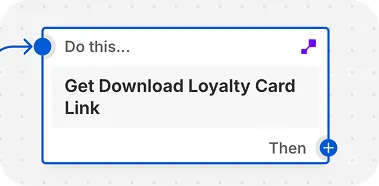
In Shopify Flows, the action "Get download loyalty card link" returns a direct download link based on an email. You can send this link via email, SMS, or any other integration available in Shopify Flows.
API
This is the most customizable way to generate download links. You can follow this guide to set it up. This approach lets you decide when the link should expire, instead of being limited to one-time use.