This setup gives customers a cashback-style balance without paying out cash. Customers earn points behind the scenes, but you can label the balance Store credit, € credit, or another term that makes sense for your brand.
Before starting, enable Loyalty and Rewards in Settings > Integrations > JeriCommerce. This use case changes the customer-facing label of the points balance; it does not create a cash wallet or a cash payout.
Decide the value of the balance
Choose the customer-facing label, the earn rate, and the reward milestones. For example: 5% earned on purchases, with a 5-point reward for €5 off. The reward's Points cost and discount value define what the balance is worth in practice.
Start conservatively and check the cost against your margin. The purchase points guide includes ratio examples by business type.
Rename the balance
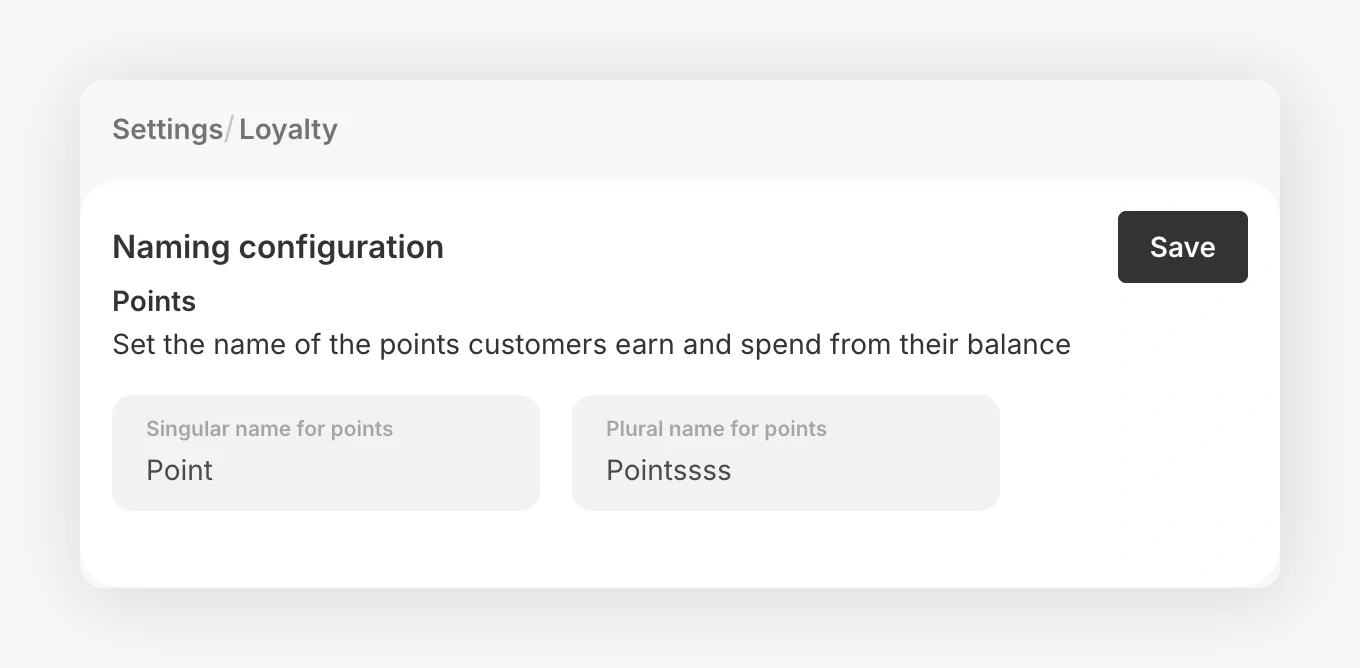
In Settings > Loyalty, edit Singular name for points and Plural name for points. Use a familiar label such as Store credit and Store credits if that is how you want customers to understand the balance, then click Save. These fields rename the spendable points balance; tier labels are configured separately.
Configure the earn rate
Go to Loyalty > Ways to earn > Points for purchases and set the percentage, rounding rule, and optional holding period. The ratio determines how quickly the credit balance grows.
Build the reward ladder
Go to Loyalty > Ways to redeem, click Add redemption option, and choose Fixed reward to create milestones such as €5 off, €10 off, and €20 off. Set the Points cost for each reward and attach a matching Shopify fixed-amount discount.
The reward setup guide explains visibility, redemption limits, and associated discounts.
Each fixed reward pairs its Points cost with a Shopify discount value. For customer-chosen point amounts, see Points as cash rewards. This remains loyalty credit, not cash or native Shopify Store Credit.
Show progress to customers
Publish the Shopify Loyalty Hub and add a link to rewards on the back of the wallet pass. Customers should see both their current balance and the next useful reward.
Test the economics
Place a test order, wait through the configured holding period, confirm the balance update, redeem each reward, and check the final discount in Shopify. Make sure customers cannot redeem more credit than you intended on a single order.
The setup is working when the label, earning rate, reward values, and checkout discount all tell the same story.
Do not describe points as cash or promise a cash payout. This use case is loyalty credit redeemed through Shopify rewards; review the wording with your legal and tax teams for your market.