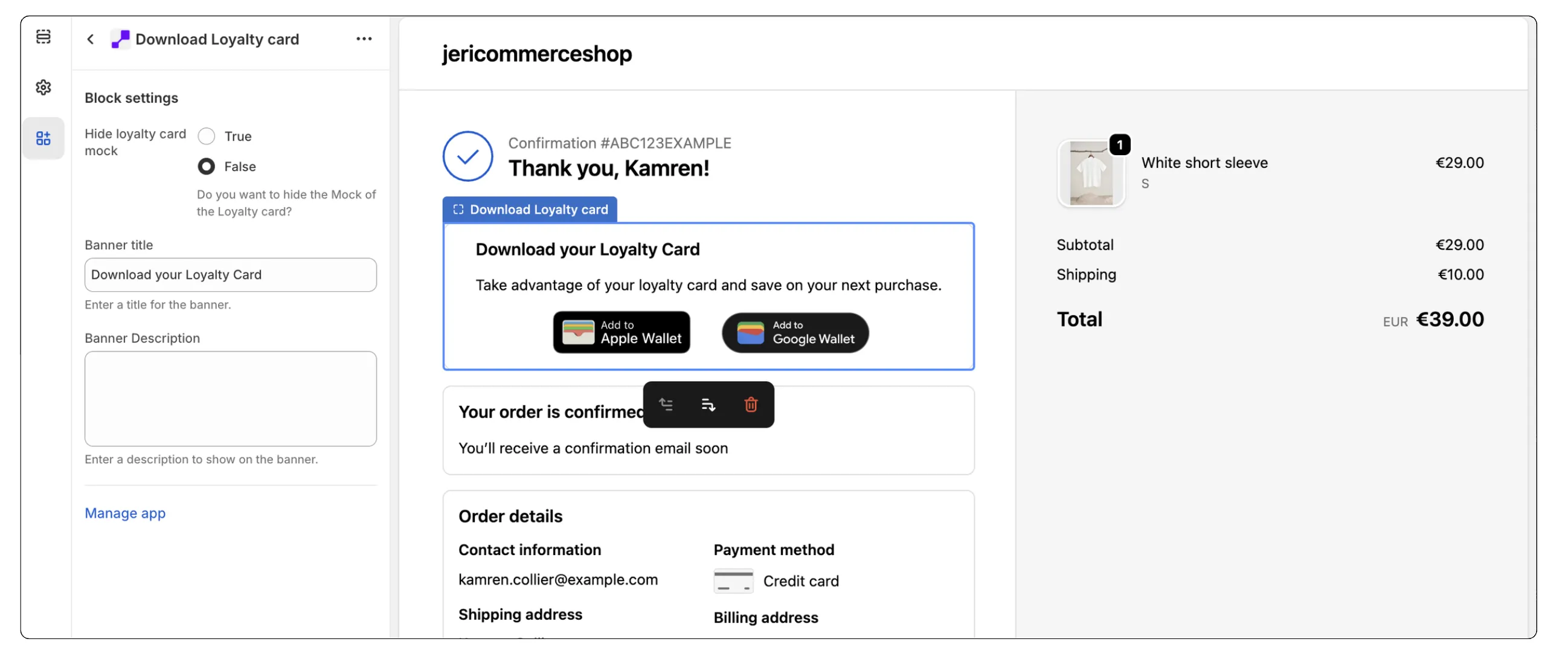
JeriCommerce's checkout extension puts wallet passes right where customers expect them — available to download instantly after checkout or from their profile. This mobile-first solution turns a one-time transaction into a channel for ongoing engagement.
Instant Wallet Pass Delivery at Checkout
Right after purchasing, customers are prompted to add their wallet pass to their mobile wallet from the Order Status page.
- Stay connected — Keeps rewards, coupons, and loyalty info handy without requiring another app.
- Immediate value — Turns a completed purchase into the start of a permanent mobile connection directly on the customer's device.
Easy Access from Customer Profiles
For returning customers, loyalty cards can be downloaded or updated anytime through their Shopify profile.
- Always available — Keeps the wallet pass fresh, relevant, and part of their regular shopping routine.
- Real-time updates — The pass is automatically updated based on activity and current campaigns, so the customer always has the latest information.
How to Set It Up
Native Integration
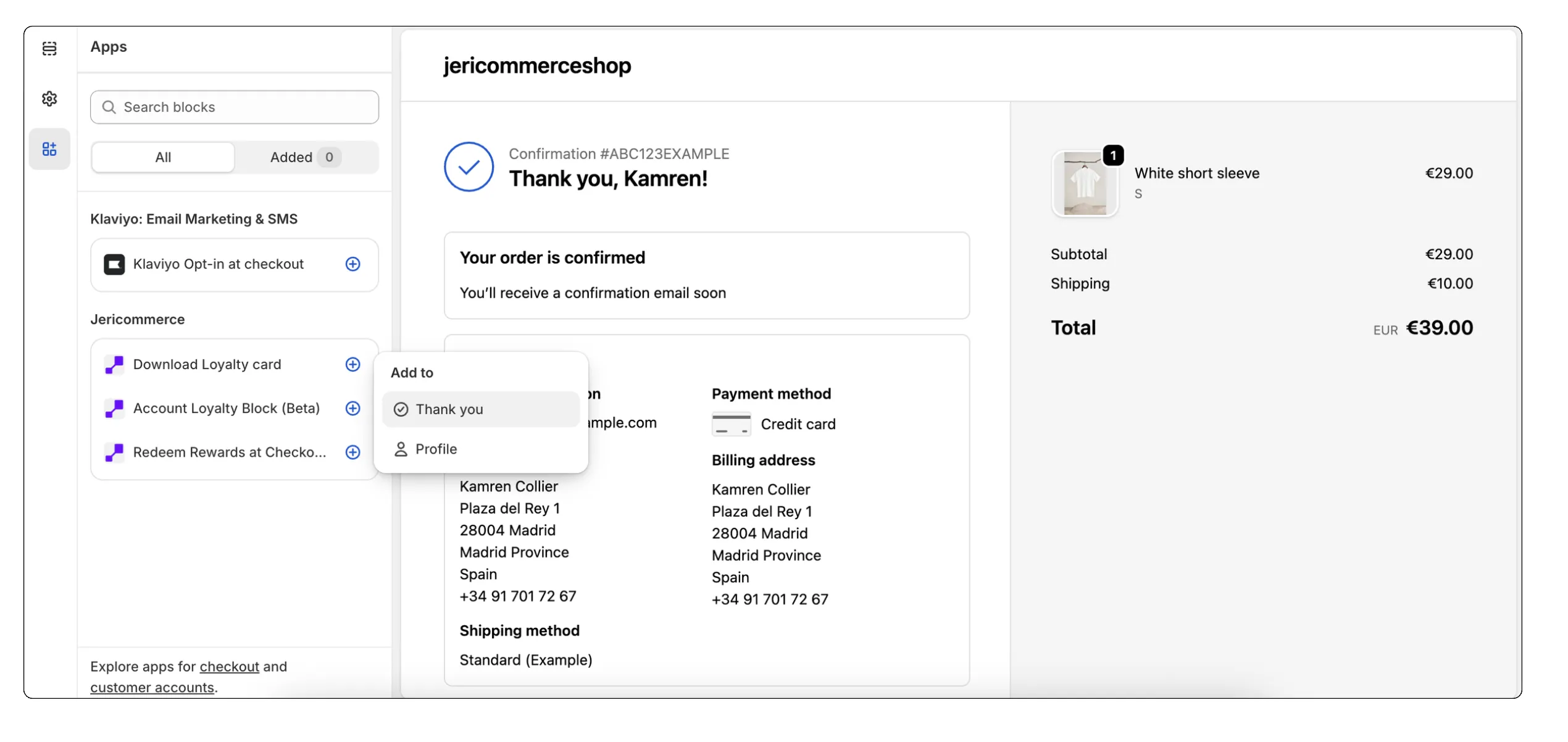
These extensions are available as Shopify App Blocks:
- Checkout Thank You Page — Add as a block within the checkout confirmation area.
- Customer Profile — Add as a block within the customer account section.
This native approach lets you drag and drop the extensions to the exact position you prefer using the standard Shopify Theme Editor.
Customize the Look
The display is fully customizable to match your brand. From the editor, you can:
- Brand customization — Customize wallet passes with your specific branding and colors.
- Messaging — Edit the text to inform customers about the benefits of adding the wallet pass after their purchase.