Understand how your loyalty cards and campaigns perform by tracking installs, platform usage, and notification engagement.
Go to Analytics → Campaigns & Cards to see these dashboards.
Digital Wallet Lifecycle
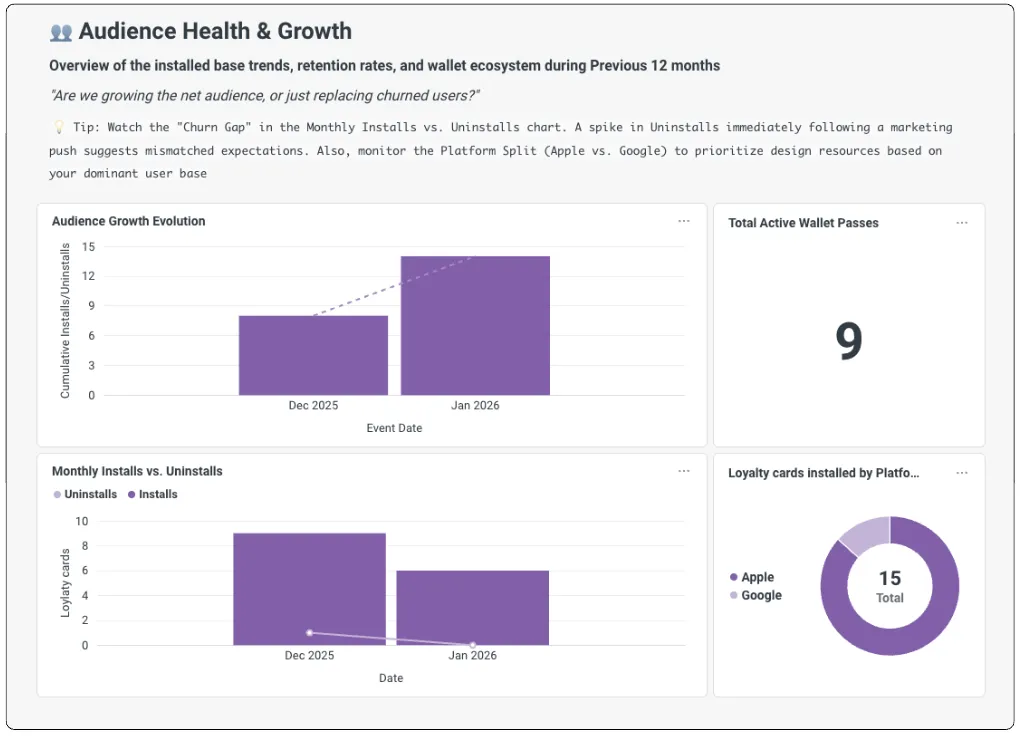
This section shows how customers adopt and retain your loyalty card over time.
Growth & Retention
Track the net difference between card installs and uninstalls over time. Use this to spot push fatigue — a pattern where too many notifications cause customers to uninstall their card. If uninstalls spike after a campaign, dial back the frequency.
Platform Distribution
See how your customers split between Apple Wallet and Google Wallet. Use this to make sure your card designs look great on both platforms.
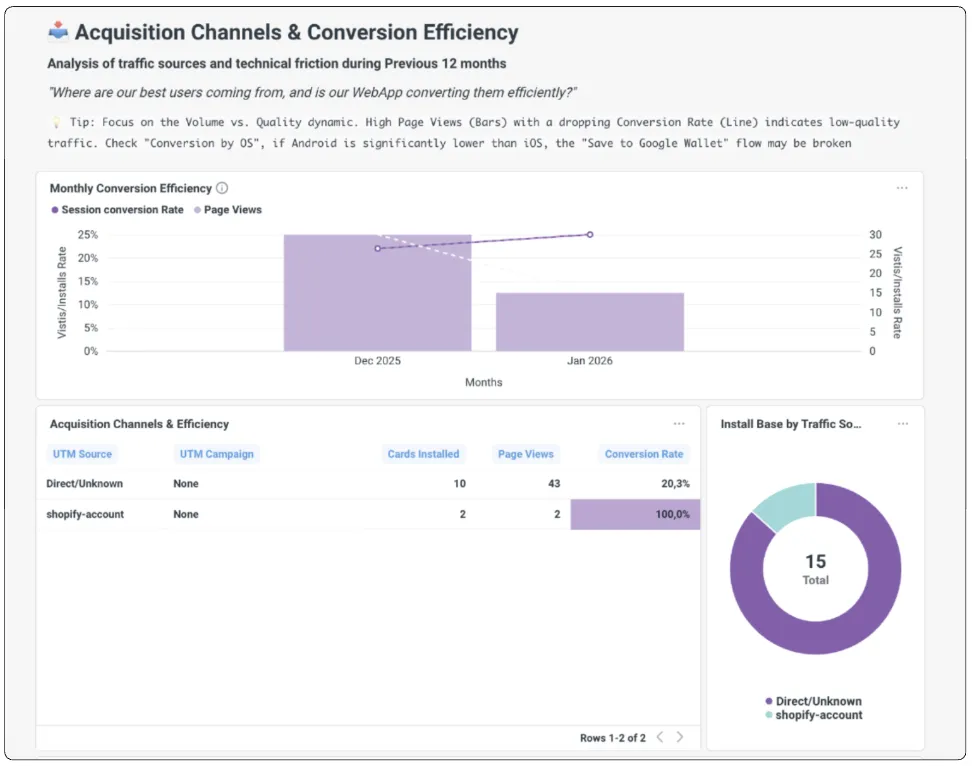
Acquisition & Conversion Funnel
This section shows where your card installs come from and how customers engage with your notifications.
Installation Sources
Track which touchpoints drive the most wallet installs — Shopify storefront, POS QR codes, or email links. Focus your efforts on the channels that drive the most installs.
Campaign Click-Through Rate (CTR)
Measure how many customers tap on your lock-screen notifications.