When you're already working in the Shopify admin, opening JeriCommerce just to check a balance or this month's numbers slows you down. Sidekick, Shopify's AI assistant, can answer questions about your JeriCommerce loyalty program and prepare simple changes for you. There's nothing to set up. It works as soon as the JeriCommerce app is installed in your store.
What you can ask 
Open Sidekick from the Work with Sidekick bar at the bottom of the Shopify admin and ask in plain language. Sidekick can tell you:
- A customer's points balance, tier, wallet passes, coupons and recent points activity
- Which coupon campaigns you can assign to a customer
- Whether a points adjustment or coupon assignment went through
- How your program is doing: the main metrics with a comparison period, insights with a suggested action, and the size of your customer segments
For example, try "How many points does anna@example.com have?" or "How is my JeriCommerce loyalty program doing this month?"
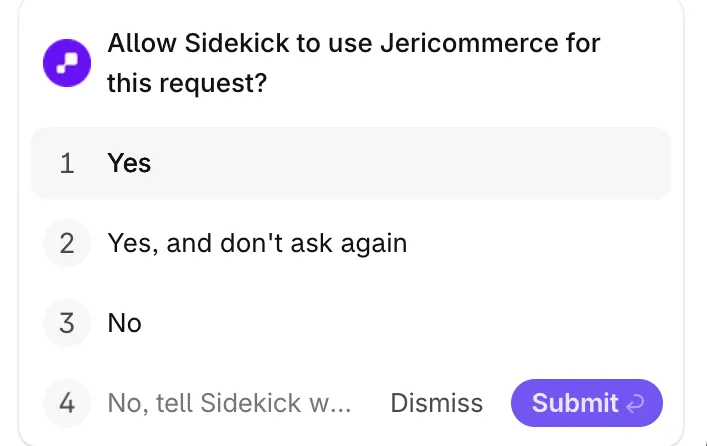
The first time Sidekick needs JeriCommerce in a chat, it asks Allow Sidekick to use Jericommerce for this request? Choose Yes, or Yes, and don't ask again to skip this question for the rest of that chat. In a new chat, Sidekick asks again.
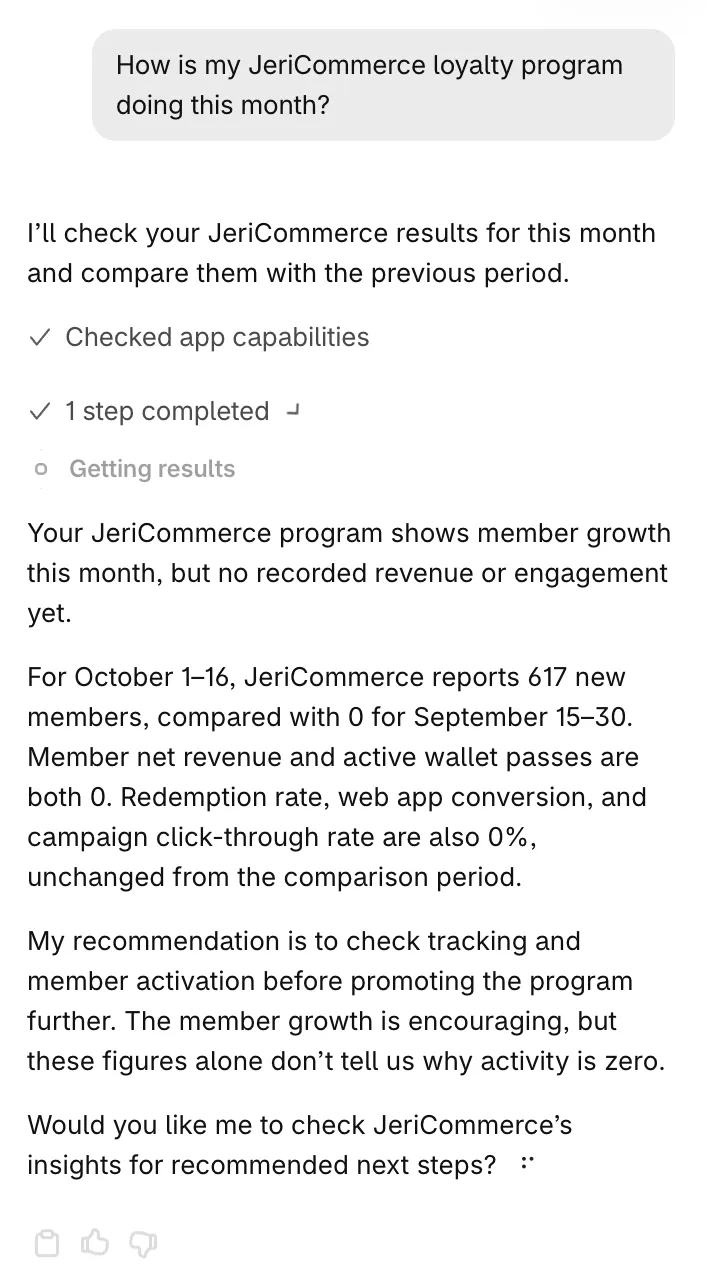
The numbers match the JeriCommerce Analytics dashboard. When a metric doesn't apply to your program, for example member revenue without JeriCommerce loyalty, Sidekick says it isn't measured rather than reporting zero.
Adjust points or assign a coupon 
Sidekick can also prepare two changes for one customer:
- Adjust points: add or remove points, with a Reason that the customer sees in their points history
- Assign a coupon: give the customer the coupon of a running coupon campaign
Ask something like "Add 200 points to anna@example.com for the late delivery" or "Give anna@example.com the coupon from the welcome campaign."
Review the form
Sidekick opens a form with the Customer, the Points and Reason, or the Coupon campaign already filled in. It shows the customer's current balance, and warns you when they don't have enough points for a removal.
Confirm the change
Change anything that isn't right, then click the confirm button, for example Add 200 points or Assign coupon. Click Cancel to drop it.
Nothing changes until you confirm. When it's done, the form shows the customer's new balance or confirms the coupon was assigned. Confirming the same change twice never applies it twice.
Points added from Sidekick work like a manual adjustment from the admin, so active boosts and tier multipliers apply.
Frequently asked questions 
Sidekick doesn't answer about my loyalty program
Check that the JeriCommerce app is installed in this store and that the store has a loyalty program. If you chose No when Sidekick asked to use Jericommerce, ask again in a new chat.
The points history isn't available
If your points run on LoyaltyLion or are managed through the API, JeriCommerce doesn't keep the points history. Sidekick then says the history isn't available, which doesn't mean the customer has no activity.
Can Sidekick send push notifications or redeem rewards?
For now, Sidekick only adjusts points and assigns coupons. To send push notifications or redeem rewards with an AI assistant, connect Claude to your loyalty program.
You're all set. Next time you need a balance or a quick result, ask Sidekick without leaving Shopify. You can also see loyalty details on the customer page with the Shopify customer profile blocks.