One of the best engagement features for a loyalty program is a rewards-based strategy, and LoyaltyLion has a built-in system for that.
To help your customers engage with the rewards and stay informed, integrate them directly into the Loyalty card. This approach makes it easy to view and, most importantly, simple to redeem.
How to Activate It
- First of all, you need to activate the LoyaltyLion feature inside Settings > Integrations > LoyaltyLion and there active the Rewards Feature and click save. If you don't have the integration active yet, follow this guide.
- To add a direct rewards link to the loyalty card, go to Customize → Loyalty card and choose Apple or Google. Open Details, then add or edit a section and use its link control to select the LoyaltyLion rewards URL variable. Add a clear link title and explanatory text.
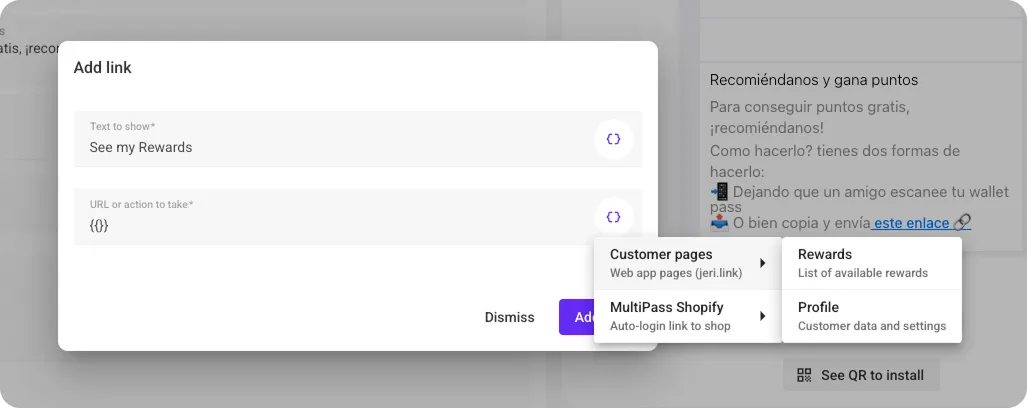
Now, all customers in your program who have the Loyalty Card installed can click this link to view their available rewards.
They can claim these rewards and apply them directly in your online store or save them as coupons in their wallets, ready to be scanned at your physical store.
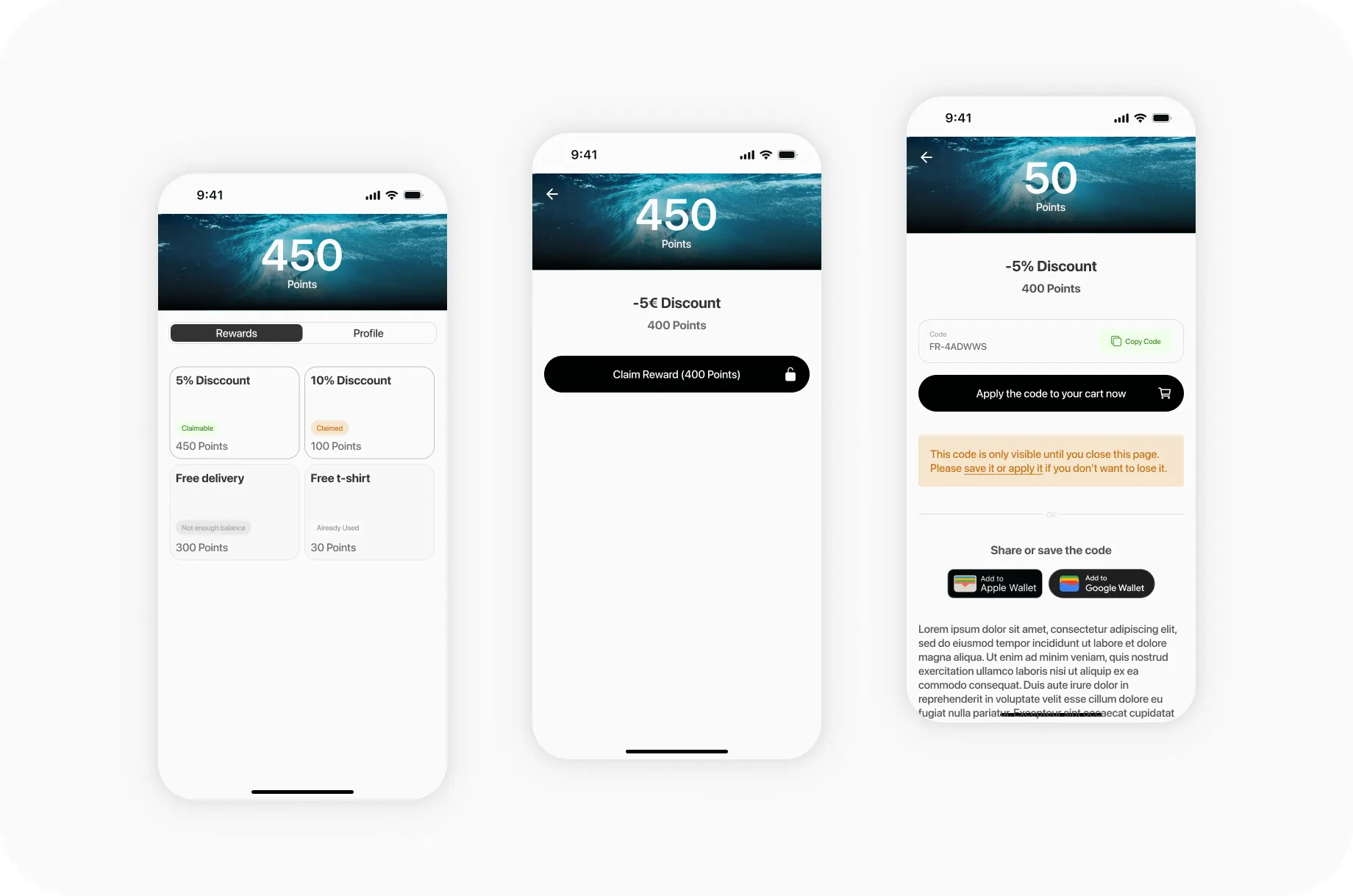
Automatically send notifications when a reward is available to increase reward usage.