What a Discount Is in JeriCommerce
A discount is the actual saving your customer gets: 10 EUR off, 15% off, free shipping, or a free item. JeriCommerce does not invent its own discount engine. It creates real discounts in your Shopify store, generates a batch of unique codes, and hands one code to each customer when they claim it.
This means the discount stays under your control. You can open it in Shopify at any time, see exactly which codes were used, and change the rules without breaking anything on the JeriCommerce side.
Where Discounts Are Used
The same discount builder appears everywhere JeriCommerce gives a code to a customer, so once you learn it you can use it anywhere.
Rewards
The customer spends points and receives a code.
Coupons
You assign a code to a customer, no points needed.
Anonymous campaigns use it too, handing out codes to shoppers who do not have a loyalty card yet. In every case you will find a discount section on the page, called Associated discounts on a reward and Discount associated on a coupon. That is where you either create a Shopify discount or upload your own codes.
The Four Discount Types
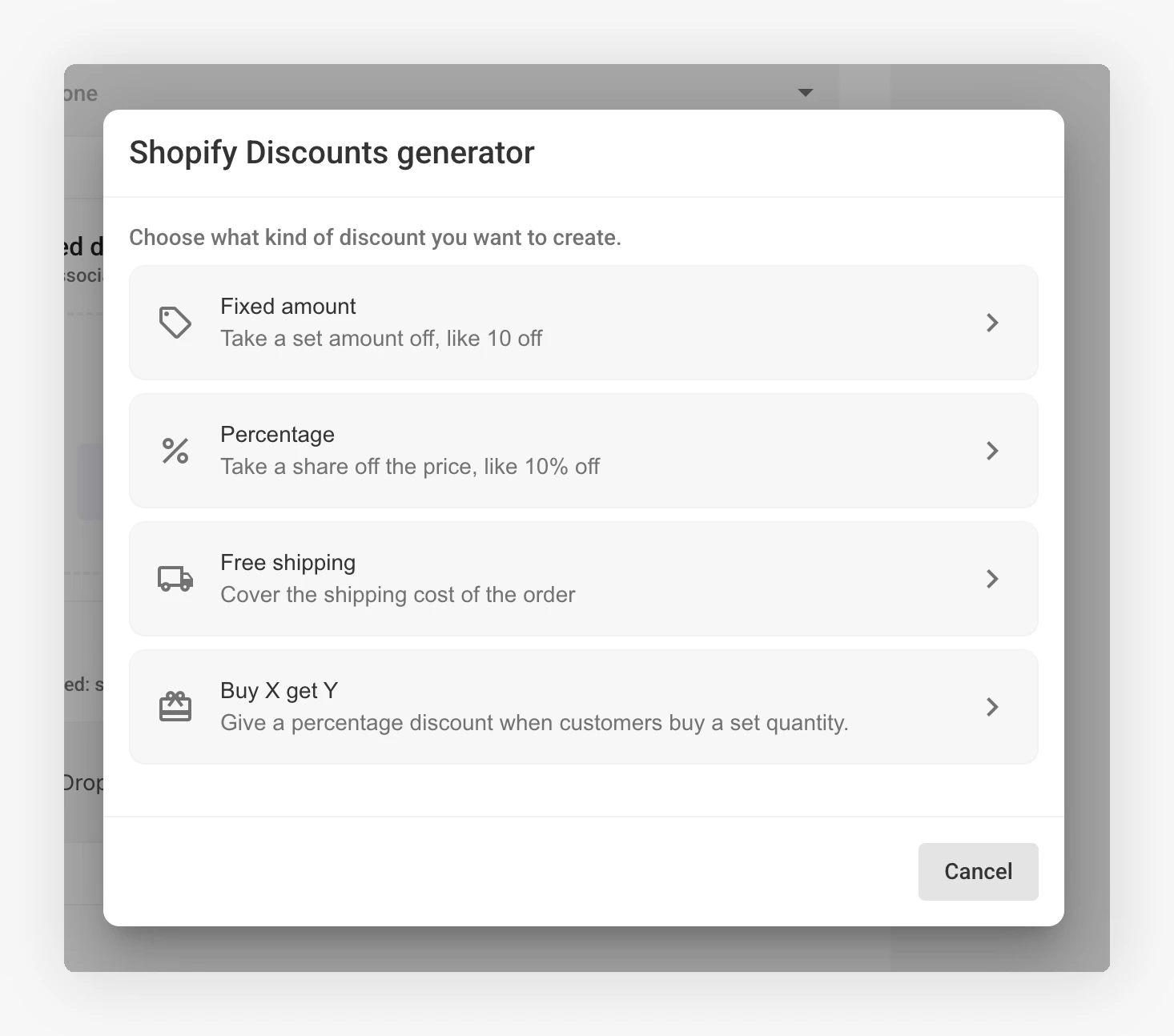
Fixed amount
A set amount off, like 10 EUR off the order.
Percentage
A share off the price, like 15% off.
Free shipping
Covers the shipping cost of the order.
Buy X get Y
Buy a set quantity, get another item at a percentage off.
Each type supports a different set of options. The full comparison is in Discount types.
Two Ways to Get Codes
JeriCommerce creates the discount in your Shopify store and generates the unique codes for you. You choose the code format, the discount rules, and how many codes to generate.
This is the option most merchants use. Follow the setup walkthrough.
If your codes come from somewhere else, a partner promotion or a third-party platform, upload them as a CSV file and JeriCommerce distributes them one per customer. See Upload your own codes.
How Codes Reach Your Customers
The customer claims
They redeem a reward, receive a coupon, or open a campaign link.
JeriCommerce picks the next code
Codes are handed out one at a time, oldest first. Nobody ever receives a code that another customer already has.
The customer uses it
They can copy the code, apply it straight to your store in one click, or add it to their Apple or Google Wallet.
Keeping Codes in Stock
A batch runs out as customers claim codes. Turn on Auto recharge and JeriCommerce generates a fresh batch once 75% of the codes are claimed, so a campaign never stalls halfway through. Read more in Unique codes and auto recharge.