Getting customers to install your loyalty card is the first step toward regular engagement. With this earning flow, you automatically reward customers the first time they add your card to Apple Wallet or Google Wallet.
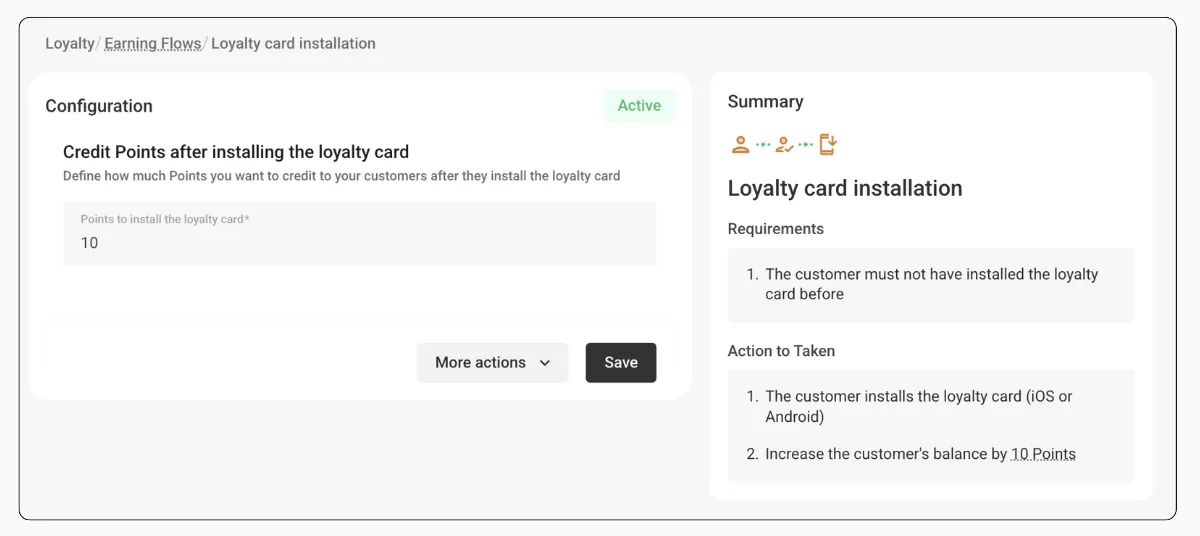
Go to Loyalty → Earning Flows → Credit Points after installing the loyalty card to turn it on.
How the Earning Works
You set a fixed number of points. The system credits them automatically on the first install.
1
Set the point amount
Choose how many points customers receive for installing the card.
2
Customer installs the card
A customer adds your loyalty card to their iOS or Android device.
3
Points are credited
If this is their first time installing the card, the points land in their account immediately.
Points are awarded only once per customer. Reinstalling or updating the card does not grant additional points.
This flow only works if you turn it on before the customer installs the card. Customers who already have the card installed will not receive retroactive points.
Example
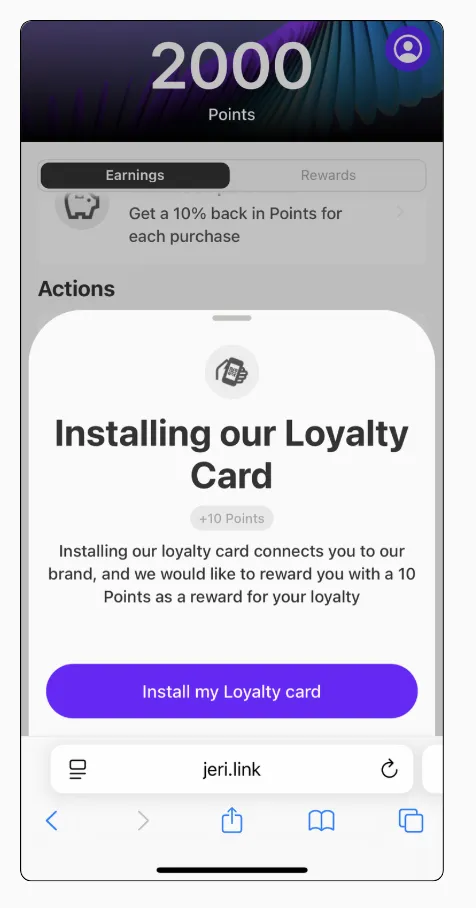
You set this flow to 10 points.
- A new customer installs the loyalty card on their phone for the first time — they receive 10 points
- Later, the same customer removes and reinstalls the card — no additional points, since the reward is one-time only