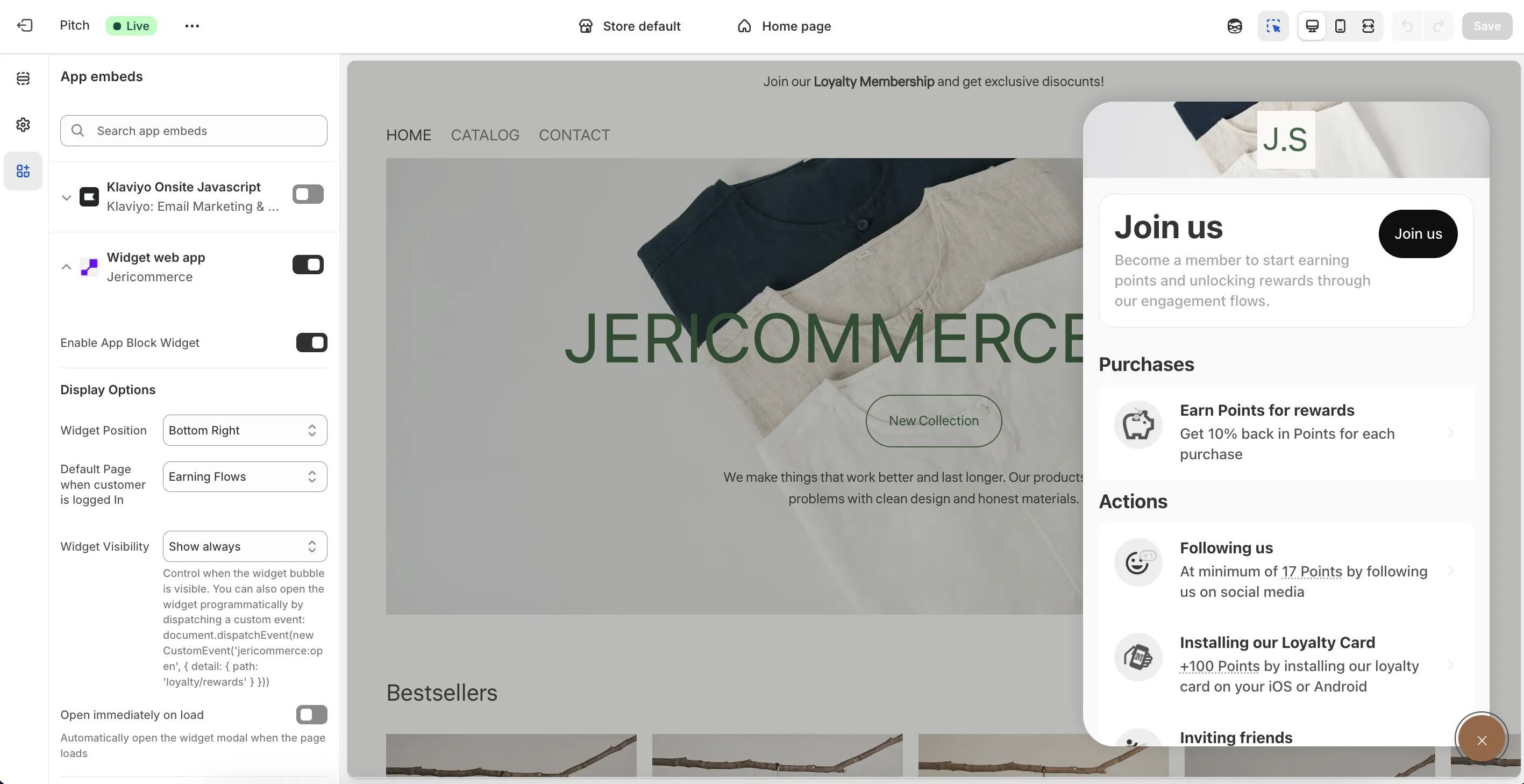
The JeriCommerce widget is a floating button that gives your customers direct access to their rewards, tiers, and coupons — right from your online store. No extra pages needed.
Turn it on in Shopify Admin → Online Store → Themes → Customize → App embeds → JeriCommerce Widget.
Customize the Widget
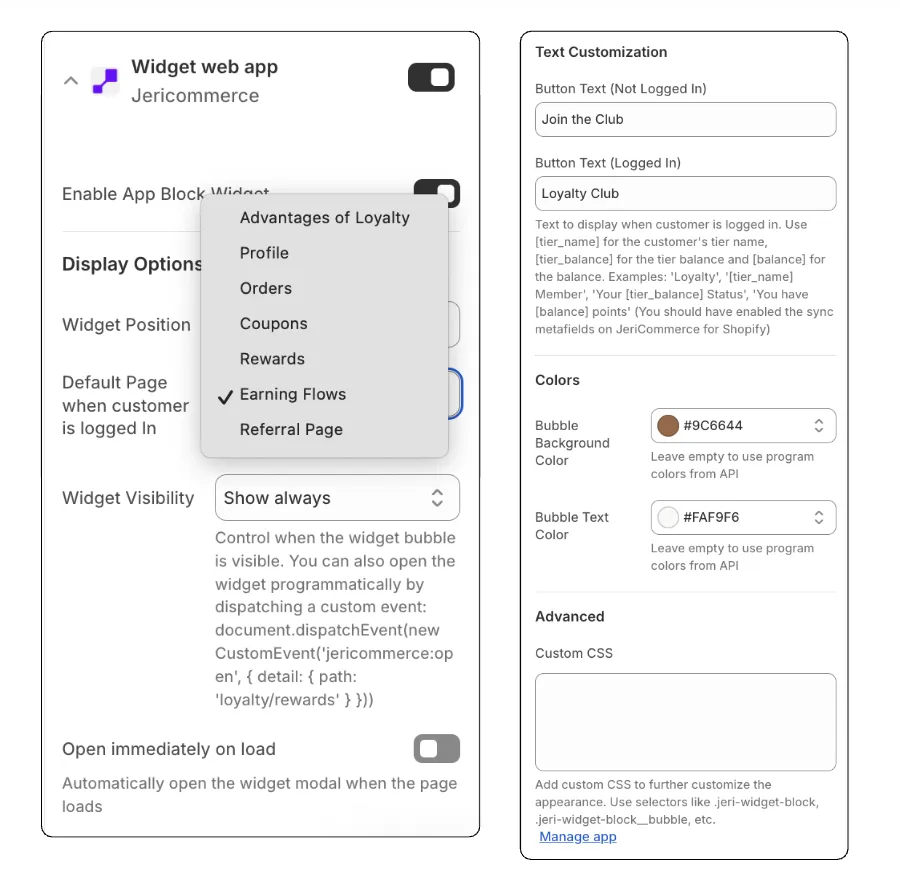
You can adjust the widget to match your brand:
- Button style — Change colors, size, and position to match your store's look
- Default page — Choose which page opens when a customer taps the widget
- Visibility rules — Show the widget on specific pages, hide it from non-logged-in customers, or hide it completely
- Camouflaged mode — Hide the main button and add a smaller, subtle element that blends into your page design. Customers can still access the loyalty pages through this integrated button.
Deep Linking
Open the widget automatically from emails or SMS by adding a jeri query parameter to any URL on your store.
Open the advantages page
https://www.your-store.com?jeri=advantages
Open the rewards page
https://www.your-store.com?jeri=loyalty/rewards
Custom Triggers
Open the widget from any button or link on your site using a #jeri fragment. This avoids a page reload.
Open the widget
<a href="#jeri">See your Level</a>
Open a specific page
<a href="#jeri=profile/coupons">Open my coupons</a>
Available Routes
Use these paths with deep links or custom triggers.
| Path | Description |
|---|---|
check |
Email verification |
profile |
User profile |
orders |
Order history |
coupons |
List of redeemed or assigned coupons |
coupons/:couponSlug/:couponCode |
Specific coupon details |
loyalty |
Main loyalty page (defaults to earning flows) |
loyalty/rewards |
Rewards catalog |
loyalty/rewards/:rewardId |
Specific reward details |
loyalty/earning-flows |
Earning flows |
loyalty/tiers |
VIP tier details page |
advantages |
Program benefits for non-logged-in visitors |
referrals |
Referral program dashboard |