Reward customers for visiting your physical stores. The Check-in at your locations flow credits a fixed number of points when a customer checks in at one of your locations via Shopify POS.
Go to Loyalty → Earning Flows → Check-in at your locations to turn it on.
How the Earning Works
You set a fixed number of points (not a percentage of spend). Points are credited when the customer checks in at your store.
Customer visits your store
The customer arrives at one of your physical locations.
They check in via Shopify POS
The customer scans their QR code or taps their NFC-enabled loyalty card on the JeriCommerce tile on Shopify POS.
Points are credited
If the check-in meets your recurrence rules, the defined points go to their balance.
Recurrence Options
Control how often customers earn points for visiting the same location:
| Recurrence | How it works |
|---|---|
| One time only | Points for the first visit per location — no repeats |
| Once per week | Points once per week per location |
| Once per month | Points once per month per location |
| Once per quarter | Points once per quarter per location |
| Once per year | Points once per year per location |
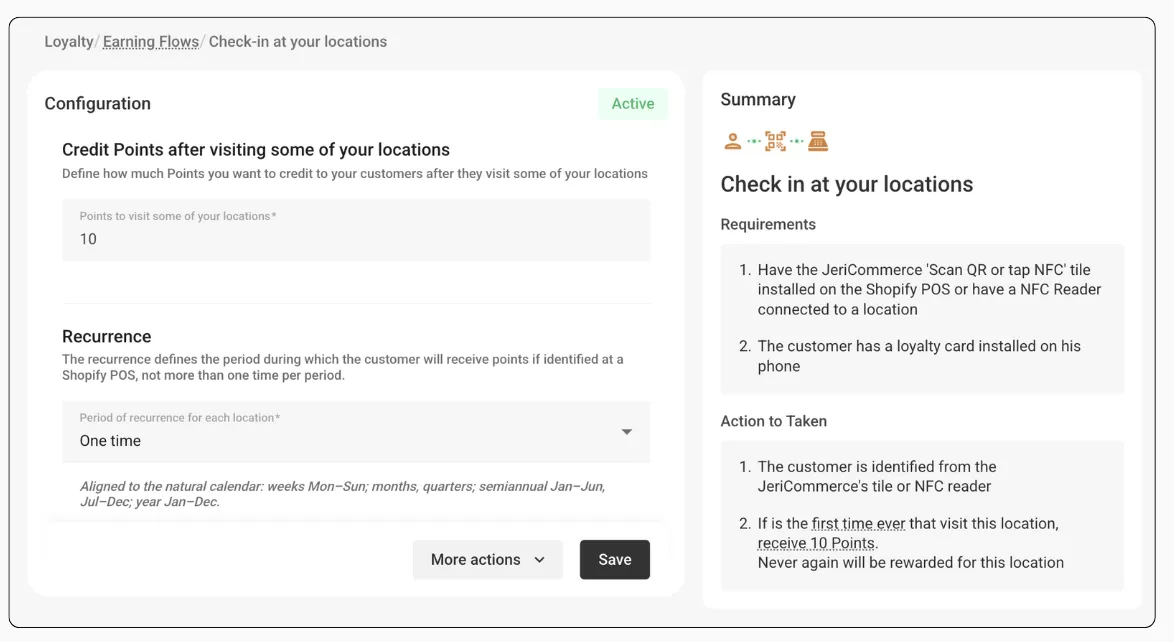
Example
You set this flow to 10 points per visit with one time per location recurrence.
- A customer visits Store A and checks in with the NFC reader — they receive 10 points
- The same customer visits Store A again the following week — no points (already claimed for this location)
- The customer visits Store B for the first time and checks in — 10 more points