You can trigger wallet push notifications from any Klaviyo Flow by adding a webhook action that calls the JeriCommerce send-push API.
Set up the webhook action
1
Add a webhook action
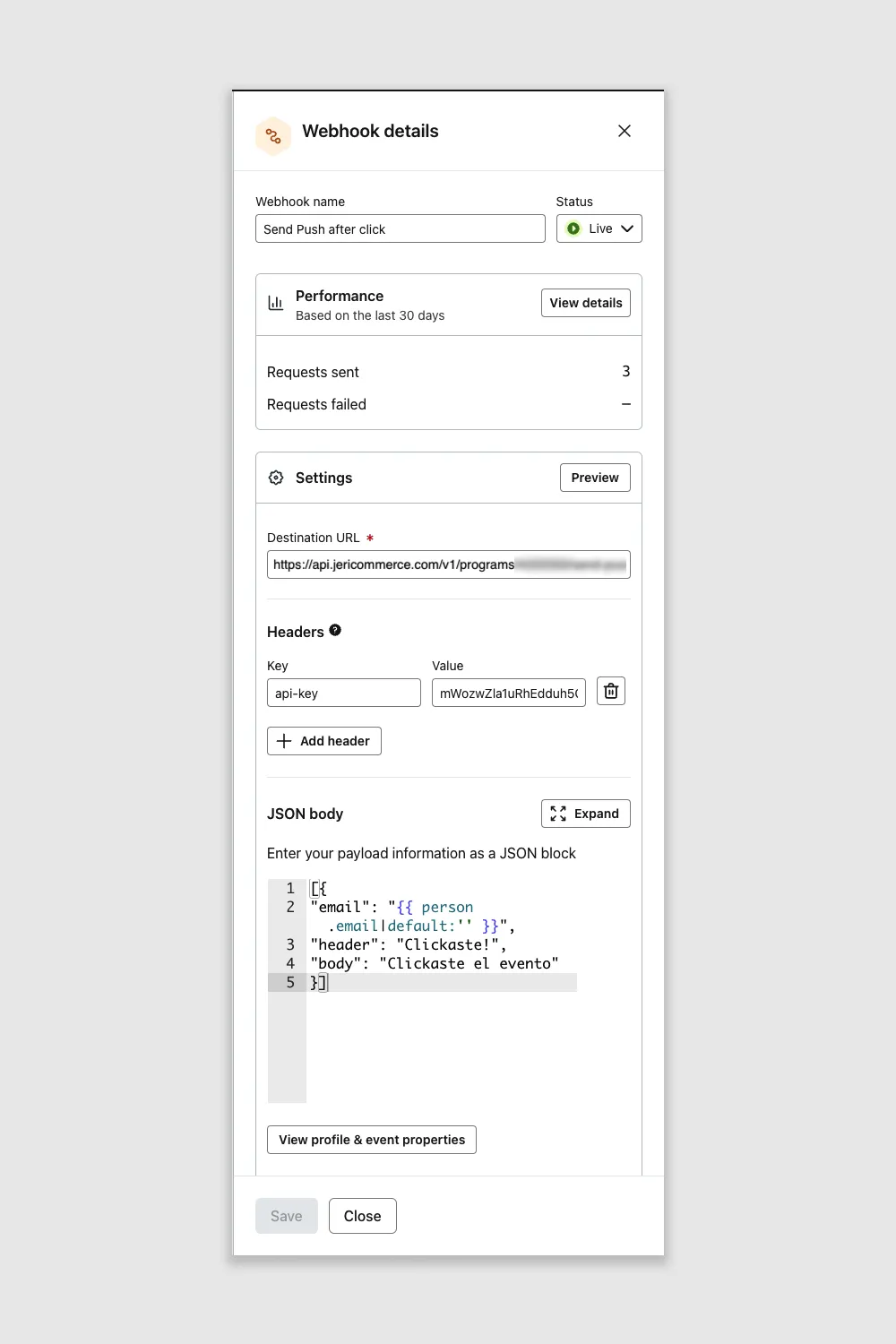
In your Klaviyo Flow, click Add Action and choose Webhook. This sends an HTTP request whenever a customer enters that step of the flow.
2
Set the destination URL
Paste the send-push endpoint URL into the Destination URL field. Your program slug goes where the placeholder is — find it in your JeriCommerce dashboard under Settings > Technical > Program Information.
https://api.jericommerce.com/v1/programs/{program_slug}/integrations/api/send-push
3
Add the API key header
In the Headers section, add a new header:
- Key:
api-key - Value: Your API key from Settings > Technical > API Keys
If you don't have one yet, create a new key in that section and copy the value — you can only see it once.
4
Compose the JSON body
The body is a JSON array with one object per notification. Each object has these fields:
| Field | Required | Description |
|---|---|---|
email |
Yes | The customer's email. Use Klaviyo's profile variable {{ person.email\|default:'' }} |
header |
Yes | The notification title shown on the wallet pass |
body |
Yes | The notification message content |
link |
No | A URL or deep link the customer opens when tapping the notification |
Example body:
[
  {
    "email": "{{ person.email|default:'' }}",
    "header": "Your reward is ready!",
    "body": "You've unlocked a 10% discount. Tap to claim it.",
    "link": "https://yourstore.com/rewards"
  }
]
The body must be a JSON array (wrapped in
[ ]), even when sending a single notification.
Using variables
Klaviyo and JeriCommerce both support template variables, but they use the same {{ }} syntax, which can cause conflicts. To avoid this, JeriCommerce supports an alternative syntax for its variables:
| System | Syntax | Example |
|---|---|---|
| Klaviyo | {{ variable }} |
{{ person.first_name }} |
| JeriCommerce | <% variable %> |
<% first_name %> |
| On-device (wallet) | %%variable%% |
%%balance%% |
Use Klaviyo's
{{ }} syntax for profile data (email, name) and JeriCommerce's <% %> syntax for loyalty data (balance, tier). See notification delivery strategies for the full list of available variables.
Webhook builder
Use the Webhook Builder to generate the destination URL, headers, and JSON body — ready to paste into Klaviyo.