When to Use Them
- Announce a sale or new product launch
- Send a limited-time discount or offer
- Remind customers about an upcoming event or deadline
Step-by-Step
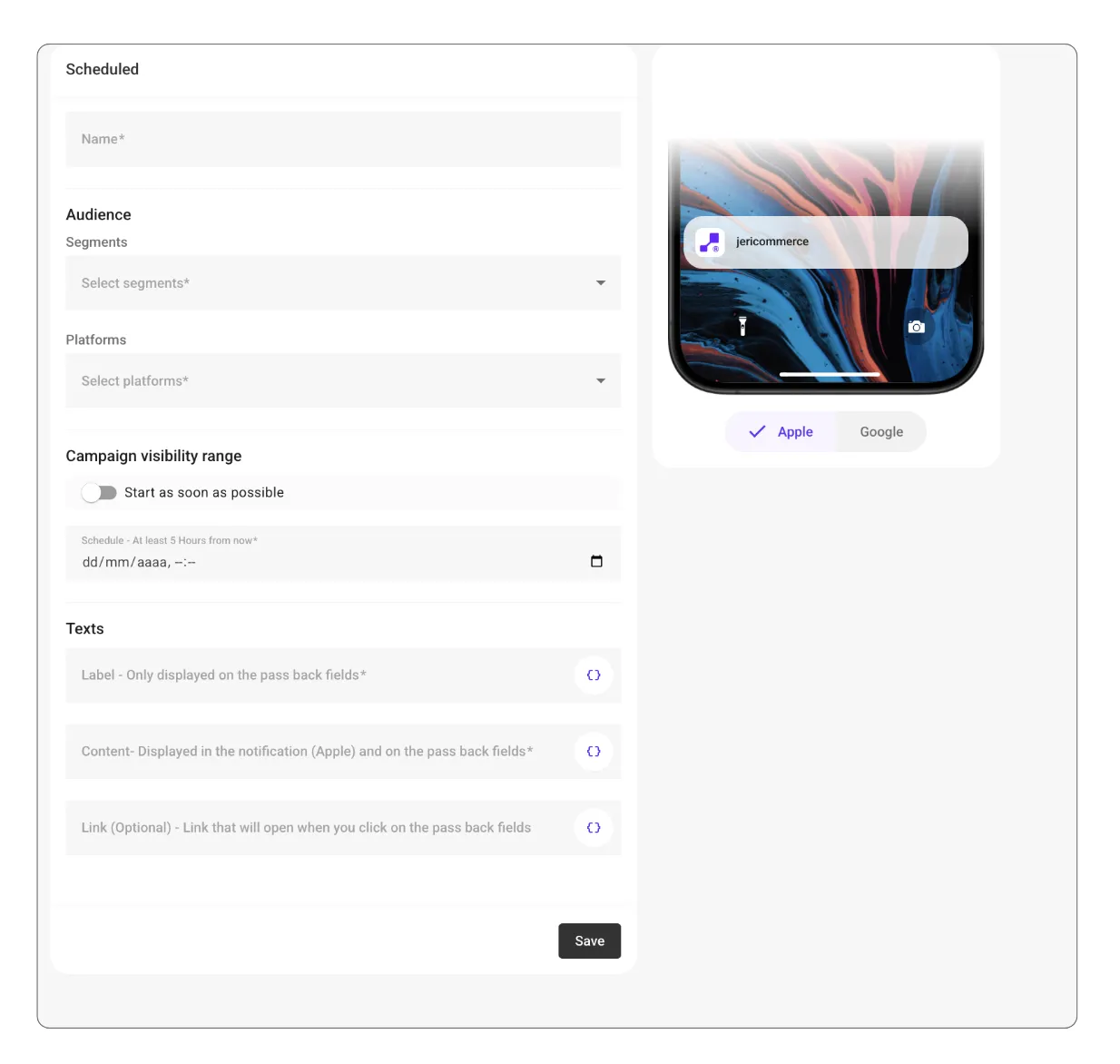
- Name your campaign — choose something clear so you can identify it later.
- Select the audience segment you want to receive the campaign.
- Choose the platform(s) — Apple, Google, or both.
- Set the schedule:Turn off “Start as soon as possible.”
-
Pick a date and time (at least 5 hours from now).
-
Add your texts:Label: Shown only on the wallet pass back fields.
- Content: Appears in the notification (Apple) and on the pass back fields.
-
Link (optional): Opens when customers click on the pass back fields.
-
Save the campaign — it will be sent automatically at the scheduled time.
Tip: Coordinate your scheduled campaigns with email or social posts to create a bigger impact.