This guide will walk you through setting some examples of automated workflows using Shopify, Shopify Flow, and JeriCommerce:
- Welcome Flow – Automatically issue a wallet pass to new customers.
- In-store visits – Send push notification after Wallet is scanned at the POS
Flow Prerequisites
Before setting up these flows, ensure you have:
- A Shopify store with Shopify Flow enabled
- JeriCommerce installed and configured
- The necessary customer segments and syncs configured in Shopify Integration, in the technical settings.
1. Setting Up a Welcome Flow
This flow will automatically send a Welcome flow when a customer installs Wallet Pass.
Steps:
- Go to Shopify Flow in your Shopify admin panel.
- Click Create Workflow.
- Select Trigger: Wallet Pass Installed
- Add an Action: Send Push Notification
- Configure the action:Edit the text that will be shown in the Welcome Push notification. You can include a link.
- Add additional steps. If you'd like - you can send another push notification after 5 minuts. Example: Start earning points, Learn how! or Visit our Store
- Save and enable the workflow.
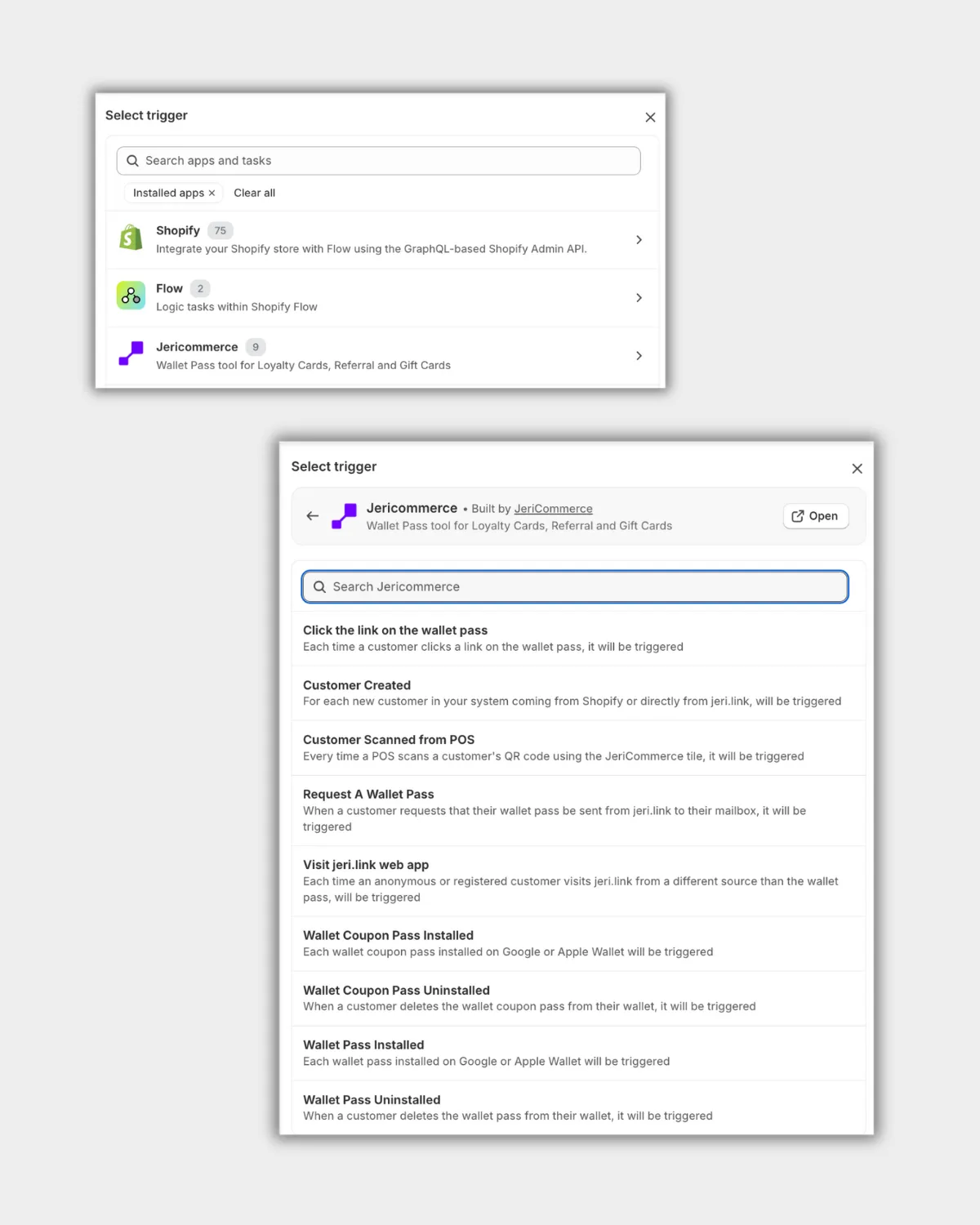
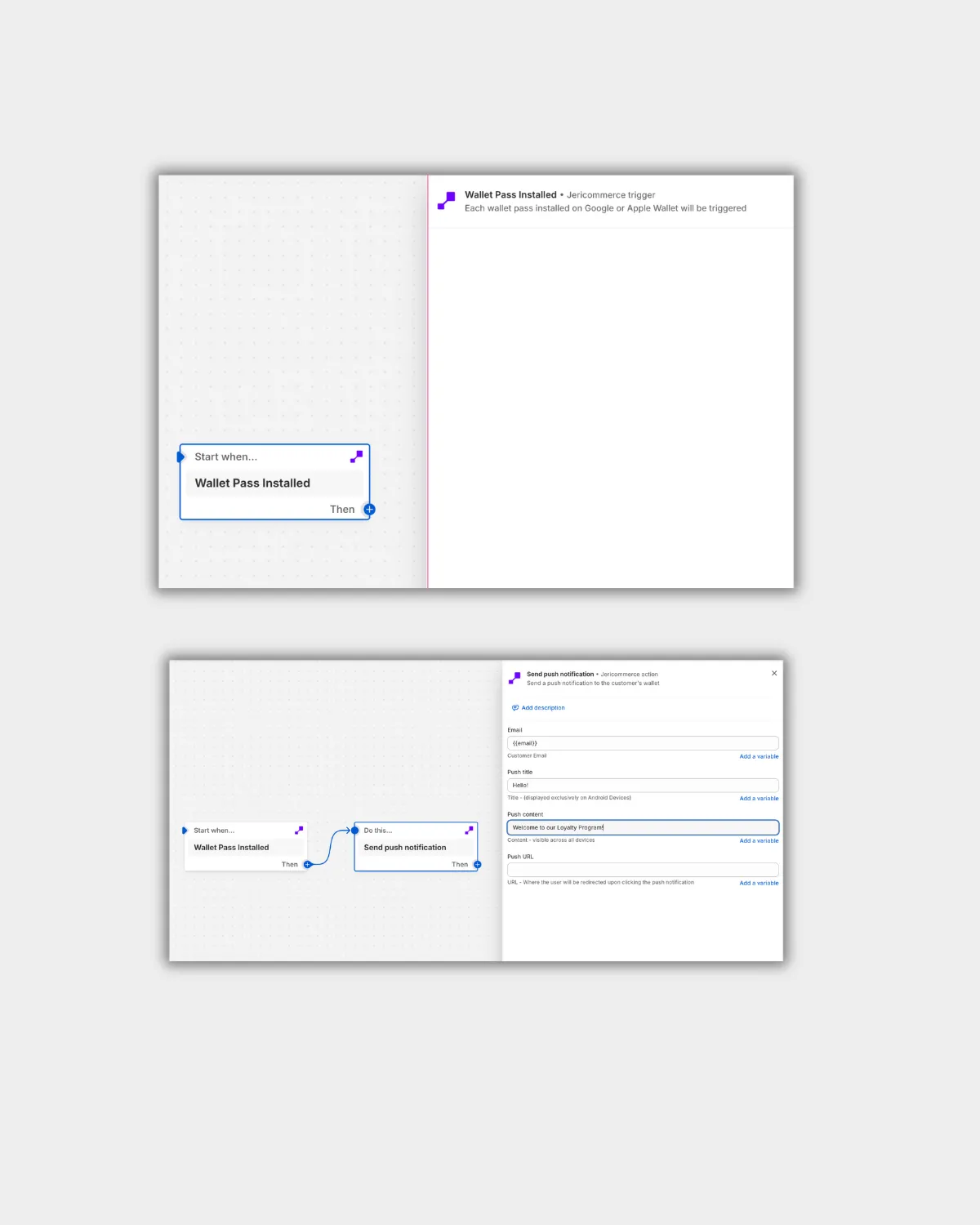 Shopify Flow - Configure action
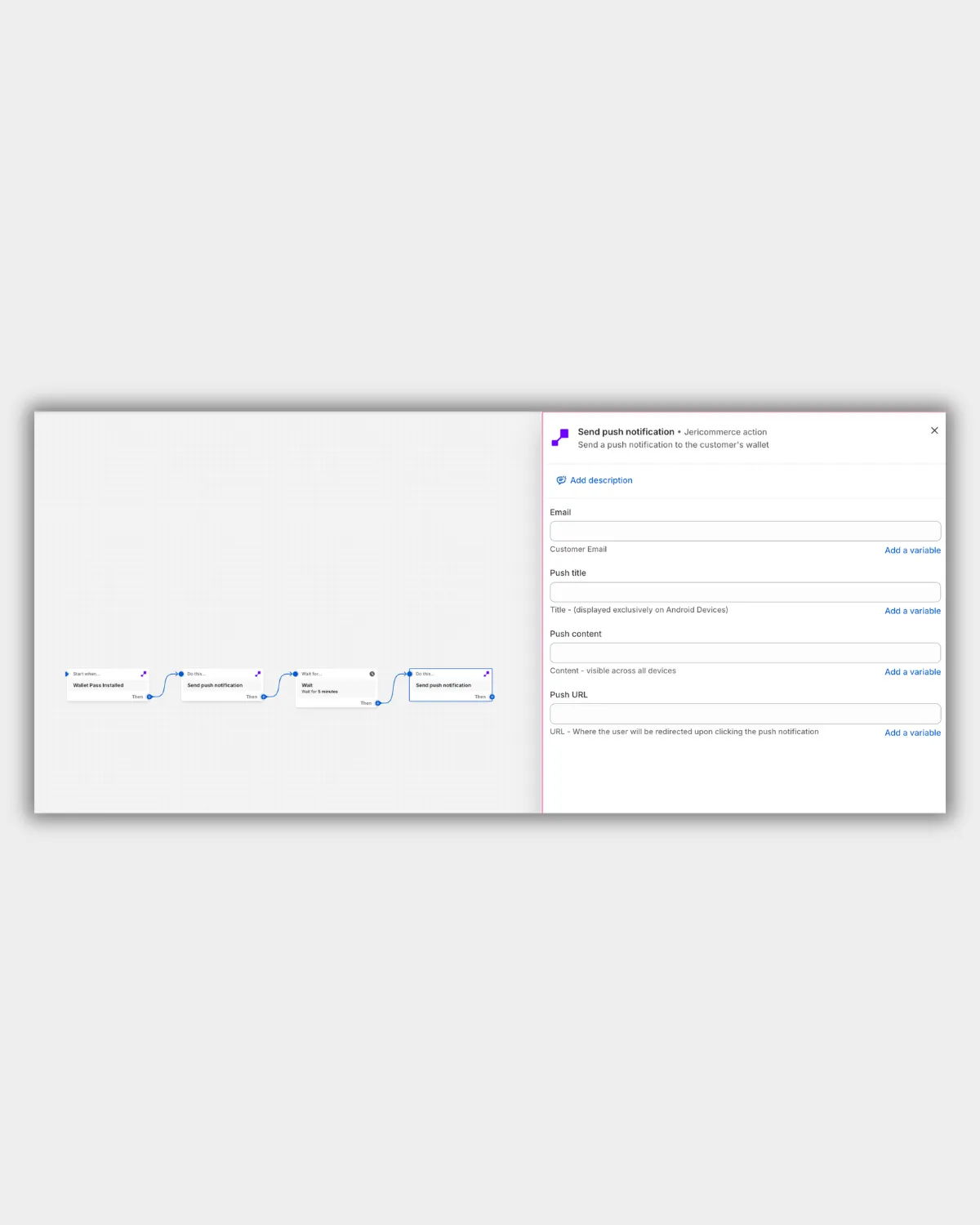 Shopify Flow - JeriCommerce Push Notification
Expected Outcome
New customers will receive a push notification after installing the Wallet and experience the first interaction.
2. Setting Up an In-Store Visit Notification
Send a push notification after a wallet is scanned at the POS, encouraging engagement while the customer is in-store.
Steps:
- Go to Shopify Flow in your Shopify admin panel.
- Click Create Workflow.
- Select Trigger: Wallet Pass Scanned at POS (JeriCommerce trigger).
- Add an Action: Send Push Notification.
- Configure the action:Write a personalized message, for example: Thanks for visiting! Enjoy 10% off your purchase today.
-
Include a link to relevant offers or loyalty info.
-
Save and enable the workflow.
Expected Outcome Customers will automatically receive a push notification after their wallet is scanned at the POS, allowing you to deliver timely offers or loyalty updates while they’re in-store.
JeriCommerce Pre-built templates are available in Shopify flow in combination with other Shopify Apps.
Shopify Flow JeriCommerce Templates