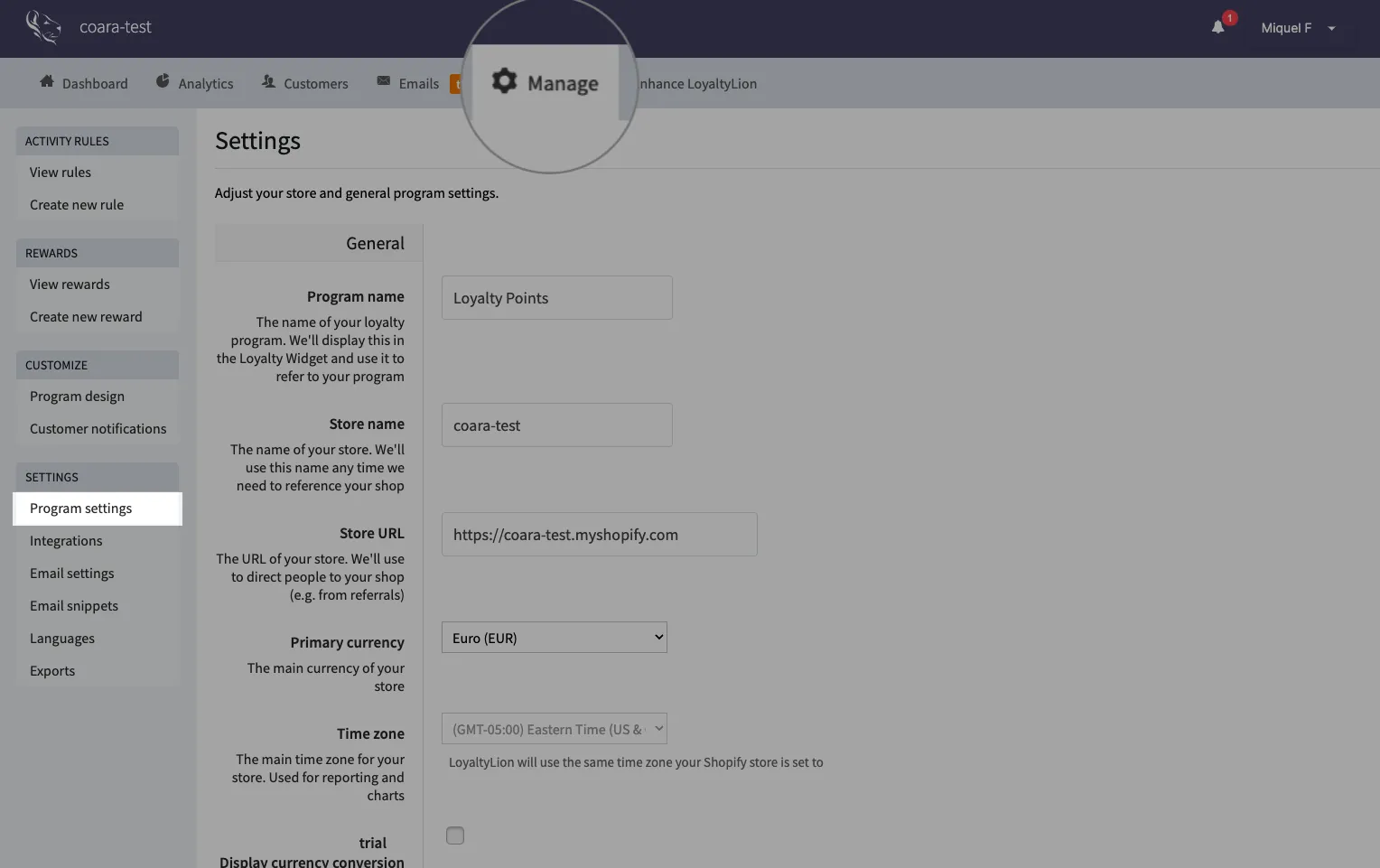
To get the Jericommerce app working, you first need to add your LoyaltyLion integration.
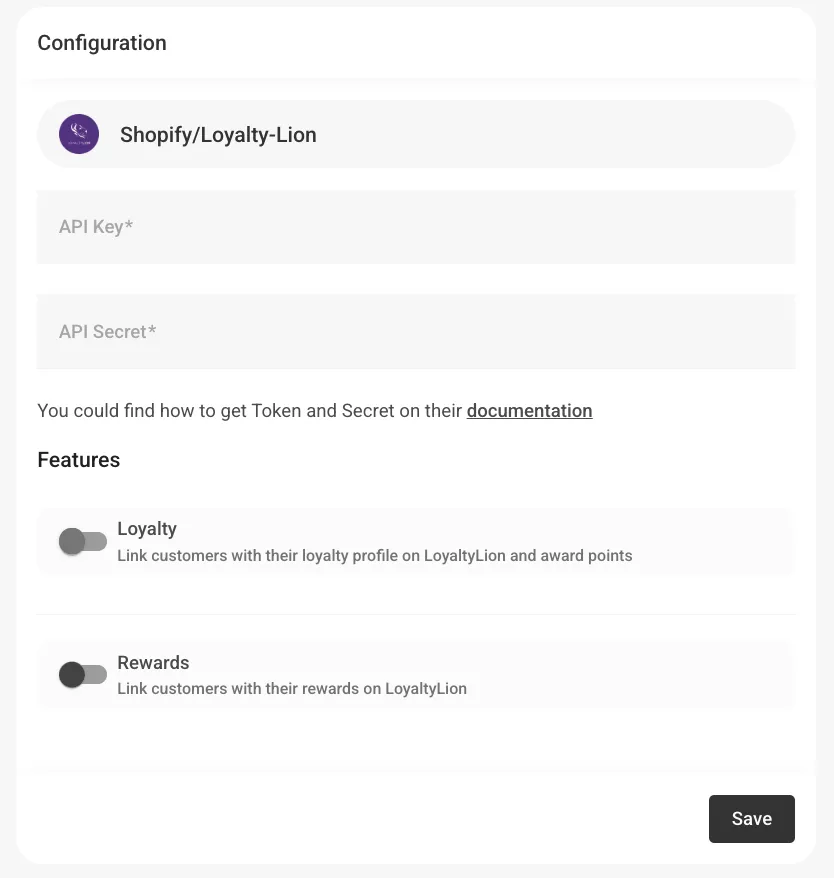
Here's a step-by-step guide on how to find the API-key and the API Secret on their platform, and save them on our platform:
- Open your LoyaltyLion app in Shopify.
- Go to Manage > Program Settings in the top bar.
- Scroll to the API keys section and click Create API key.
- Give your key a name (for example, “Jericommerce Integration”).
- Select the following permissions (scopes):
read_customers write_customersread_ordersread_unsubscribeswrite_configurationall
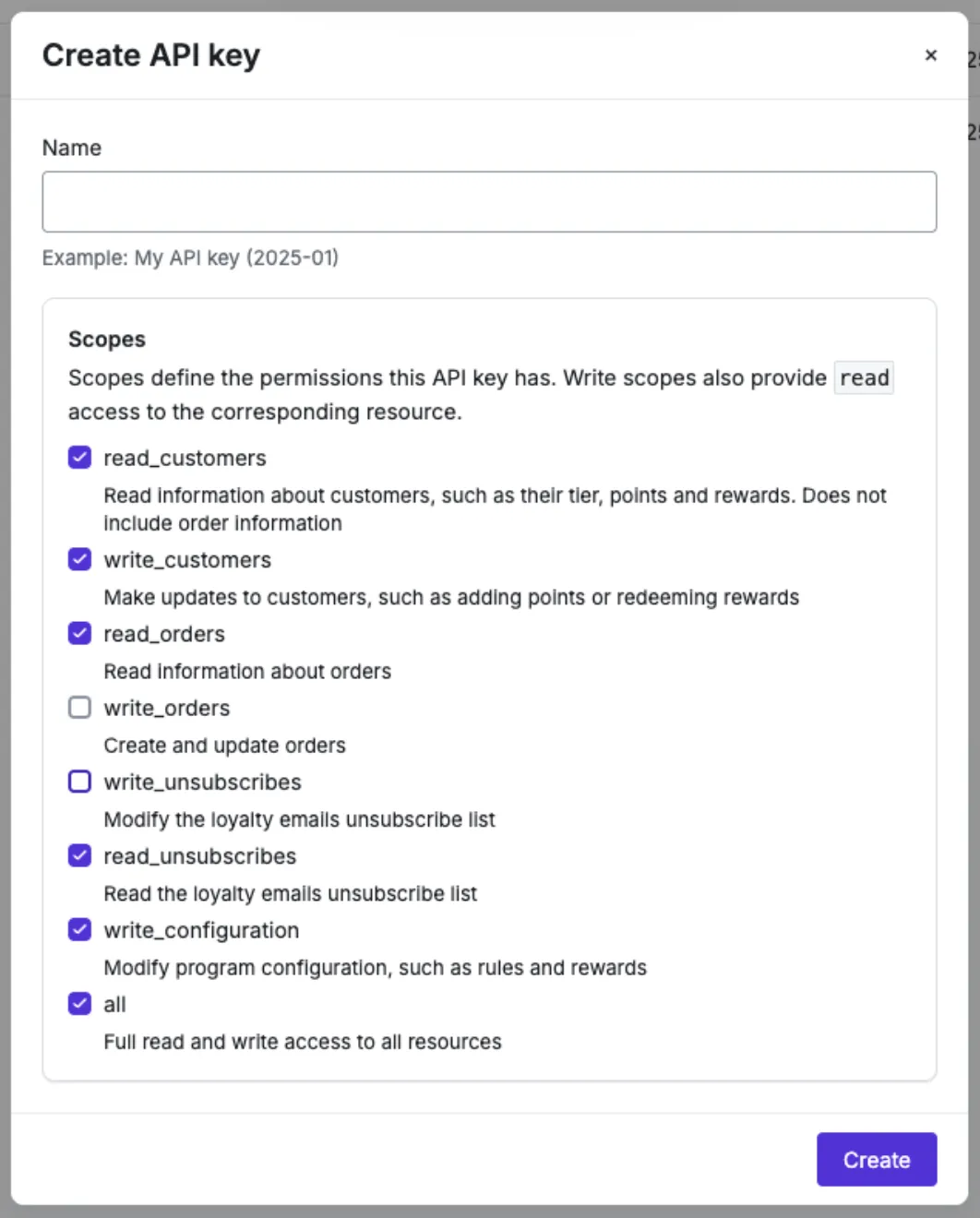
- Click Create.
- Copy your API Key and API Secret.
- Go back to your Jericommerce dashboard and paste these values into the Shopify/LoyaltyLion configuration fields.
- Enable the desired features (Loyalty and/or Rewards) and click Save.
Your LoyaltyLion integration is now connected — you can start linking customers’ profiles, points, and rewards directly to their wallet passes.